
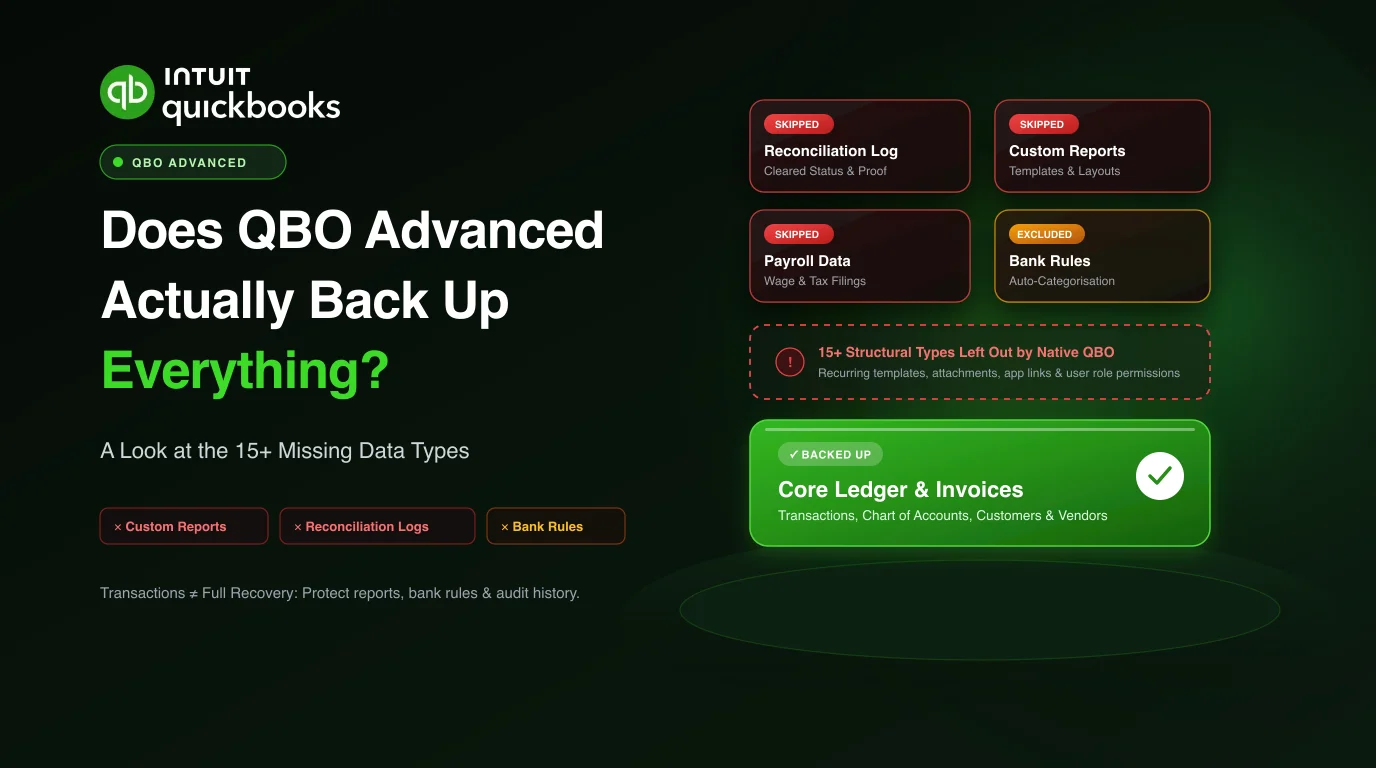
The short answer is no, and the longer answer is the part that matters. QuickBooks Online Advanced includes a built-in backup, and it covers the heart of the file well. The question is not whether it works. It is what it leaves out, because the exclusions are the data types firms assume are covered right up until they go looking for them.
Here is the honest map of what tends to fall outside the native feature, and why each gap bites.
The reporting and reconciliation layer
Custom reports are among the first casualties. A firm spends months building report templates that match how a client wants to see their numbers, and those report definitions are not the kind of thing the core backup preserves. Lose them, and you are rebuilding the reporting setup from scratch even after the underlying transactions are back.
Reconciliation history is the sharper loss. The record of which transactions were matched and cleared in which reconciliation is what lets you prove the books were balanced at a point in time. Without that history, even a file with all its transactions intact needs re-reconciling period by period, and an auditor asking how a prior month was closed gets a shrug.
The rules and automation that run quietly
Bank rules are the automation nobody thinks about until they are gone. They categorise transactions as they come in, and a mature file can carry a long list of them tuned over years. They sit outside the core backup, so a rebuilt file processes new bank activity with none of that logic, and someone has to recreate every rule by memory.
Recurring templates and the settings that drive automated behaviour fall into the same category. They are configuration rather than transactions, and configuration is exactly what tends to be excluded.
Payroll and the connected pieces
Payroll data is its own exclusion, and a serious one given how sensitive and regulated it is. The detail that lives in the payroll side of the product does not travel with a basic company backup in the way firms expect.
Beyond that, the links to connected apps, certain attachments, user permissions and roles, and various company-level settings all tend to sit outside native scope. Individually each feels minor. Together they are the difference between a file that is genuinely restored and a file where the transactions came back but the way the client actually worked did not.
Why “the transactions are back” is not the same as “recovered”
A company file is not just a pile of transactions. It is transactions plus the structure around them: the rules that sort them, the reports that present them, the reconciliations that prove them, and the settings that shape them. A backup that captures the transactions and little else gives you a file that balances but does not behave like the one you lost.
That is the real test of any backup. Not “does it hold my invoices,” but “does it bring back the file as it worked.” An independent backup for QuickBooks Online that captures the full set of entity types the file exposes, including attachments, is built to answer the second question rather than only the first.
What to do about it
If you rely on the native feature, the practical step is to list, for your most important clients, exactly which of these excluded data types they depend on. For most firms that quick audit is uncomfortable reading, because the excluded items turn out to be the ones they would miss most. Pairing the platform feature with a dedicated backup that covers those gaps is the straightforward fix, and you can see how a full rebuild is produced on the QuickBooks Online restore page.